
Abstract: every team makes decisions about its code. This violation is acceptable. This shortcut ships now and gets fixed later. This module is fragile, so be careful. Those decisions usually end up in a comment, a spreadsheet, or someone’s head. Annotation Templates give them a home on the code and a consistent shape, so you can report on them, find the gaps, and still trust them a year from now.
Three decisions, three bad homes
I’ve read tens of thousands of support emails in the 20 years I’ve been with SciTools and most of them are from embedded engineers with codebases older than some of their coworkers. Every one of those codebases had the same three kinds of decisions in it, and almost none of them were recorded well.
- A suppressed violation. Someone decided a hardware register cast was fine and wrote
//MISRA12_10.3 cast is fine here. Under MISRA that’s a deviation, and MISRA Compliance:2020 expects a record of which guideline, why, the risk, and who approved it. “Cast is fine here” covers none of that.
- A shortcut.
// TODO: fix this properly.Someone weighed a workaround against a deadline and chose to ship it. The comment keeps the fact that a decision happened and drops the reason, the severity, the owner, and the date it was supposed to be fixed by.
- A warning nobody wrote down. “Don’t touch the scheduler two weeks before a release.” That one lives in a senior engineer’s head, and it leaves when they do.
These look like three different problems: compliance, technical debt, and onboarding. They’re really one problem. Your team made a decision about the code and had nowhere good to put it.
Why the usual fixes don’t stick
The usual fix is to move the record somewhere with more structure, like a deviation spreadsheet, a ticket, or a wiki page. Now you have two systems, and the code changes without the spreadsheet noticing. One study of suppressed static-analysis warnings found that 50.8% of the suppressions in the projects it looked at no longer affected any warning at all. Those are comments sitting right next to the code, and a record kept in a separate system drifts even further.
We learned this one the hard way at SciTools. For years the Understand manual lived in its own files, written and kept up by one tech writer, and by the time our tech writer retired it had fallen well behind the product. Nobody else knew which pages were still right. I ended up replacing it with docs.scitools.com, several hundred how-to articles that Claude proposed and wrote and our engineers proofread and corrected, and now a job in our CI pipeline watches for commits that affect the docs and proposes updates. The fix wasn’t a better writer or more discipline – it was tying the documentation back to the code so a change in one shows up in the other.
So a decision record needs two things. It has to live on the code it describes, so it moves with the code and the next reader actually sees it. And it has to have a consistent shape, so you can ask questions of all the records at once instead of reading them one at a time. Comments have the first and not the second. Spreadsheets have the second and not the first. Someone’s memory has neither.
Annotations put it on the code. Templates give it a shape.
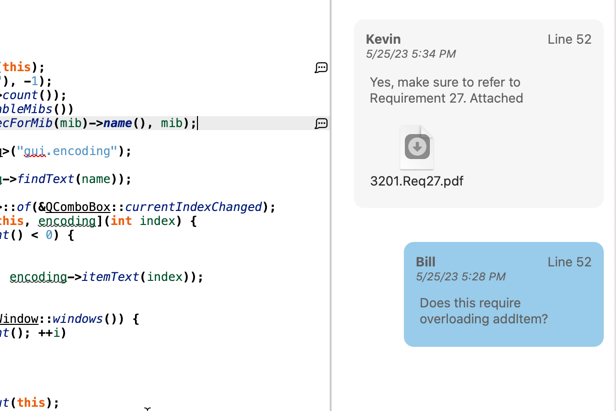
Understand annotations already handle the first part. An annotation is a note anchored to an entity, a file, a line, or an architecture, and it shows up in the editor where the next person will see it. When the code moves, the annotation moves with it.
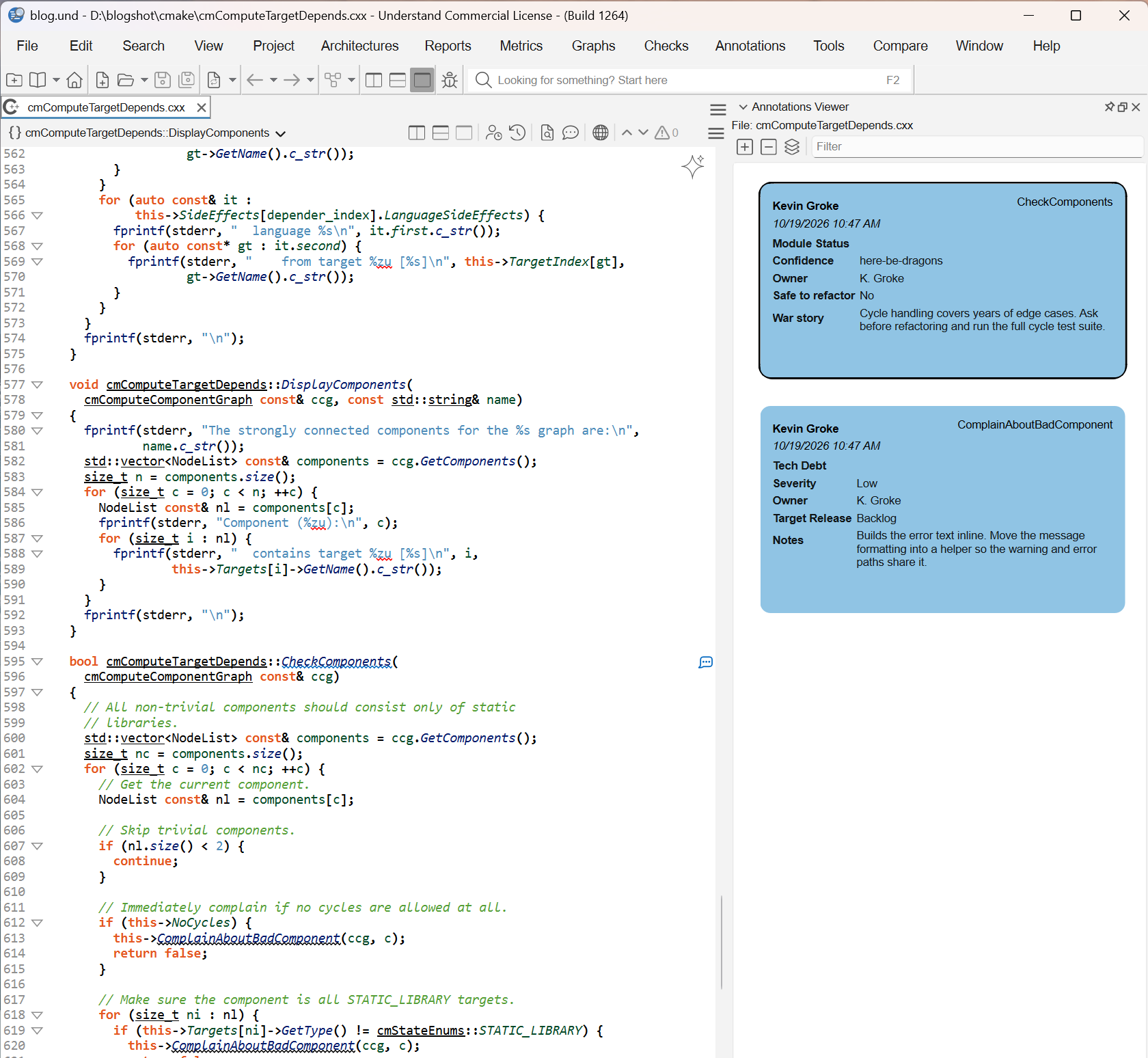
Annotation Templates add the second part. A template defines the fields a kind of annotation must carry. Fields can be droplists, radio buttons, checkboxes, dates, or free text. A droplist can be locked to the values your process allows, or left open so people can add new ones. Fields can be required, and defaults can fill themselves in from $parameters such as $Author and $Date, so the boring fields cost nothing.
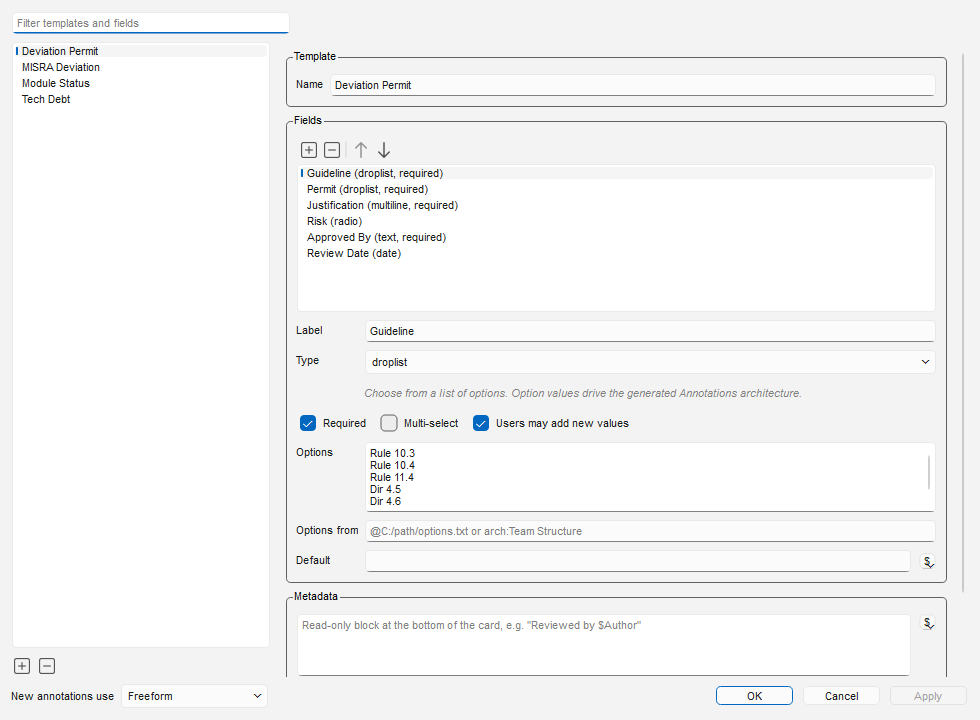
Here are some examples of different kinds of templates, but you can easily make your own custom templates as well.
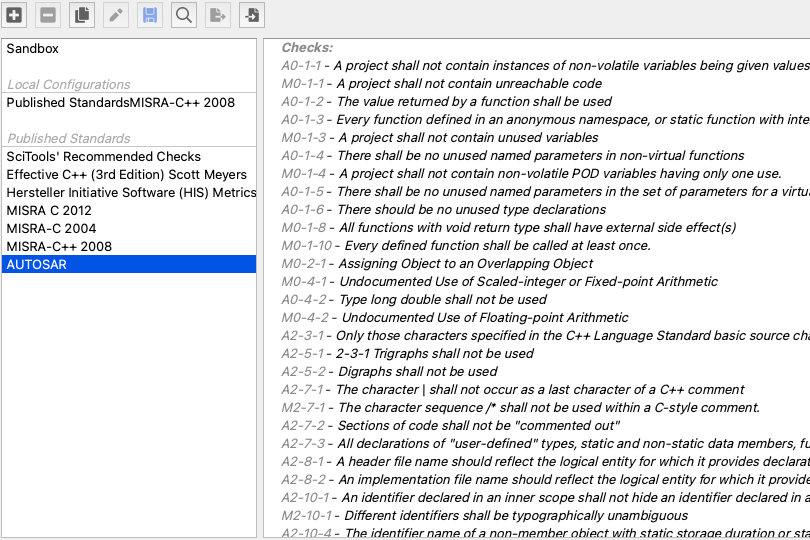
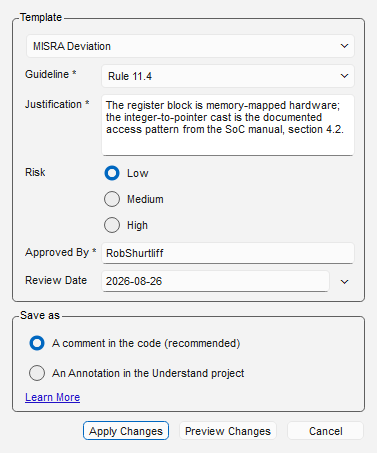
Deviations. Guideline, justification, risk, approver, and review date. When someone ignores a CodeCheck violation, the Ignore Violations dialog offers the template right there, so the record gets written in the thirty seconds the decision takes. The record and the suppression are the same object on the same anchor, so they can’t drift apart. Follow MISRA, AUTOSAR or whatever other deviation standard your team decides on.
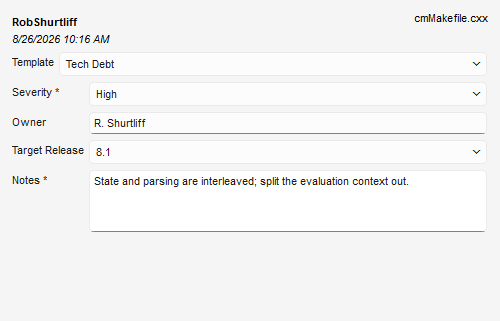
Technical debt. Severity, owner, target release, and what “fix this properly” would actually mean.
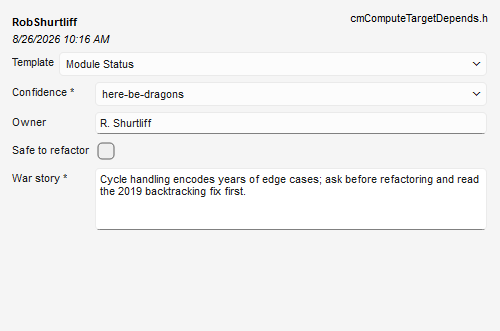
Team knowledge. This is the small version of our manual problem, for your own team. Confidence (battle-tested, stable, fragile, here-be-dragons), owner, safe to refactor, and the war story. The developer who joined last month opens the scheduler and sees the warning the veteran would have given them over their shoulder, and it’s still there after the veteran retires.
Yours will be different. Code review findings, security assessments, and certification evidence all fit the same pattern. If your team keeps a spreadsheet about the code, that spreadsheet probably wants to be a template.
What you get once decisions are data
A comment can only be read. A template field can be counted, filtered, and grouped, and Understand does that in a few places.
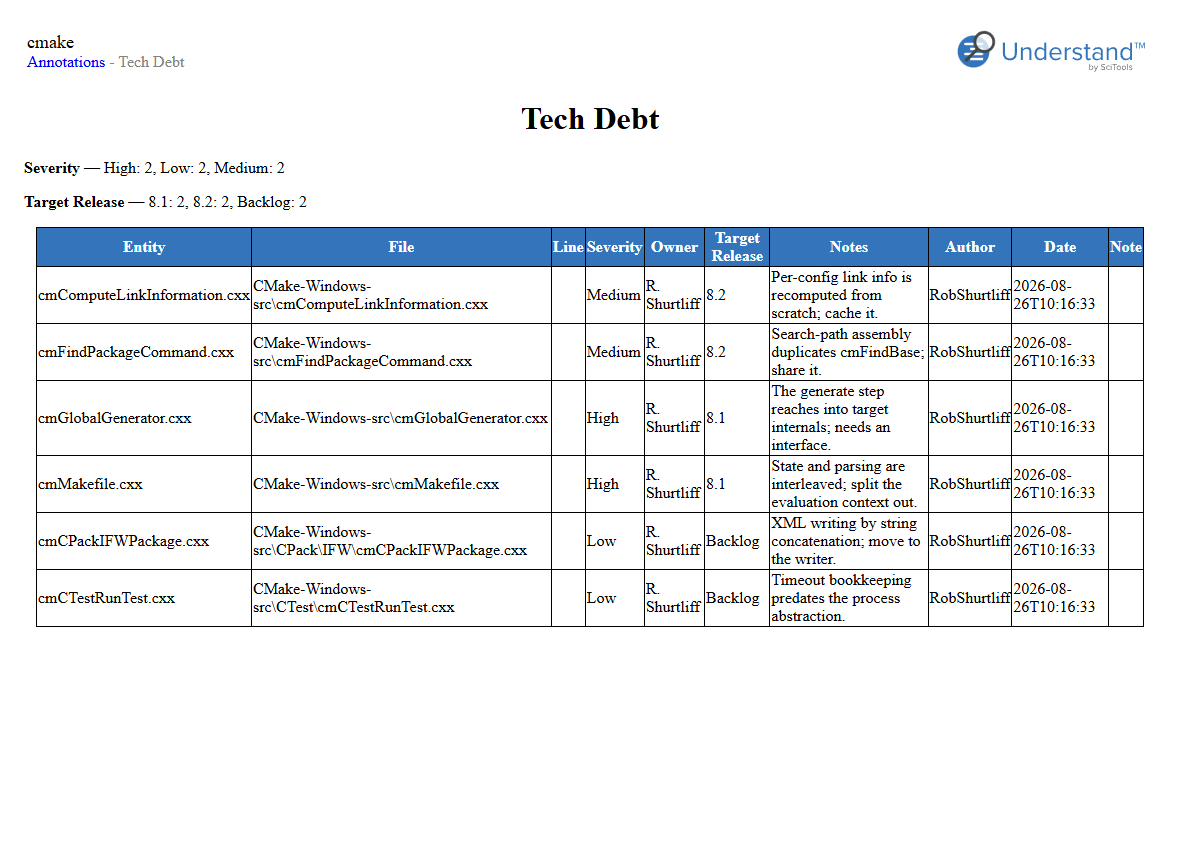
Reports. The Annotations by Template report has one page per template, with the spread of values for each field and then a filterable table of every record. “All high-severity debt targeted at 8.1, by owner” is a filter, not an afternoon of grep. For a MISRA project, the same report is your deviation register and your compliance summary, generated from the records instead of maintained beside them.
Gaps you can see. A required field with no value shows as “(missing)” in red, in the editor, the Annotation Browser, and the report. You find the undocumented deviation in code review, not in the audit.
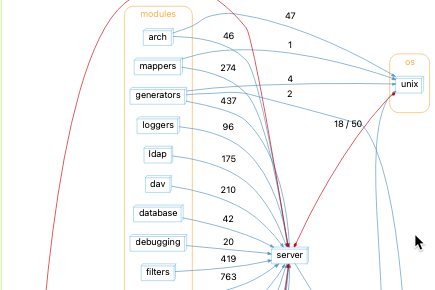
Architectures. Values from locked droplists generate an architecture, so you can browse the code by severity or by confidence the same way you browse it by directory. Every graph and metric that works on an architecture works on these too. A dependency graph of just the here-be-dragons modules is a pretty good map of where your next incident will come from.
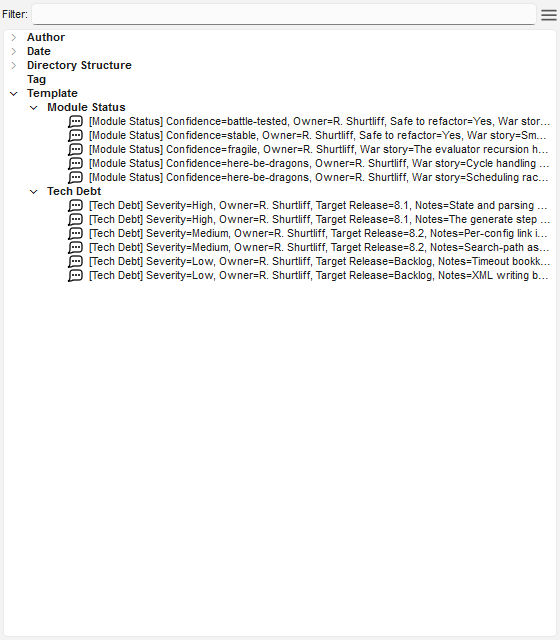
Export. The CSV export puts each template in its own group with one column per field, for whoever still wants a spreadsheet. The difference is that now the spreadsheet comes from the code instead of sitting next to it.
Bulk. You don’t have to convert years of old comments by hand. und annotate applies a template from the command line with field values per target, and $parameters expand for each one. A short script that greps your existing TODOs and calls und annotate turns them into records in one pass, ready to be cleaned up in the report.
API. Pull these details out in whatever form your team needs using the Understand Python API. Use them in your CI pipelines to send reports to management, or use them as a quality gate.
Where to start
Templates are under Annotations > Annotation Templates. Don’t start by designing the perfect form. Find one spreadsheet, ticket list, or wiki page your team already keeps about the code. Its columns are your fields. Mark the field people always skip as required, which is usually the reason. Then annotate the last ten decisions of that kind and run the report.
If you want the lighter version first, Lightweight but Powerful Code Reviews with Understand Annotations covers freeform annotations. Share (Or Don’t) covers which annotations live in the project and which stay local, and Automating A Custom Architecture shows what you can do with the architectures your templates generate.